 Phone ID
Kiểm định phần cứng iPhone & iPad trực tiếp từ máy Android qua cáp USB-C OTG
Phone ID biến điện thoại Android thành trạm kiểm định phần cứng Apple cầm tay. Cắm cáp USB-C OTG nối trực tiếp vào iPhone hoặc iPad để đọc dung lượng pin thực, số chu kỳ sạc, đối chiếu serial linh kiện gốc, nhật ký sập nguồn (panic log) và xuất biên bản PDF A4 ngay tại quầy mà không cần máy tính.

Three things Phone ID solves for technicians & shops
No PC or Mac needed on site
Carry just an Android phone and a USB-C OTG cable. Connect, tap Trust on the iPhone/iPad, and read low-level hardware telemetry in seconds.
Real battery & component truth
Compare actual battery mAh capacity and charge cycles against system-reported percentage, and verify factory component serials for screen, camera, and battery.
Instant A4 PDF inspection reports
Generate clean, structured A4 PDF reports for customers, trade-in handovers, or store warranty archives right from your mobile device.
Plug, Trust, and Inspect in 3 Steps
- Step 1 — Connect USB-C OTG cable: Plug the OTG adapter into your Android phone and connect the Lightning or USB-C cable to the target iPhone or iPad.
- Step 2 — Tap Trust on the Apple device: Unlock the iPhone/iPad, tap Trust This Computer, and enter the screen passcode to grant read-only diagnostic pairing.
- Step 3 — Read hardware & export PDF: Phone ID automatically queries model identifiers, battery health, component serials, and panic logs, ready for A4 PDF export.
Comprehensive Hardware & Diagnostic Checks
Model & Identity
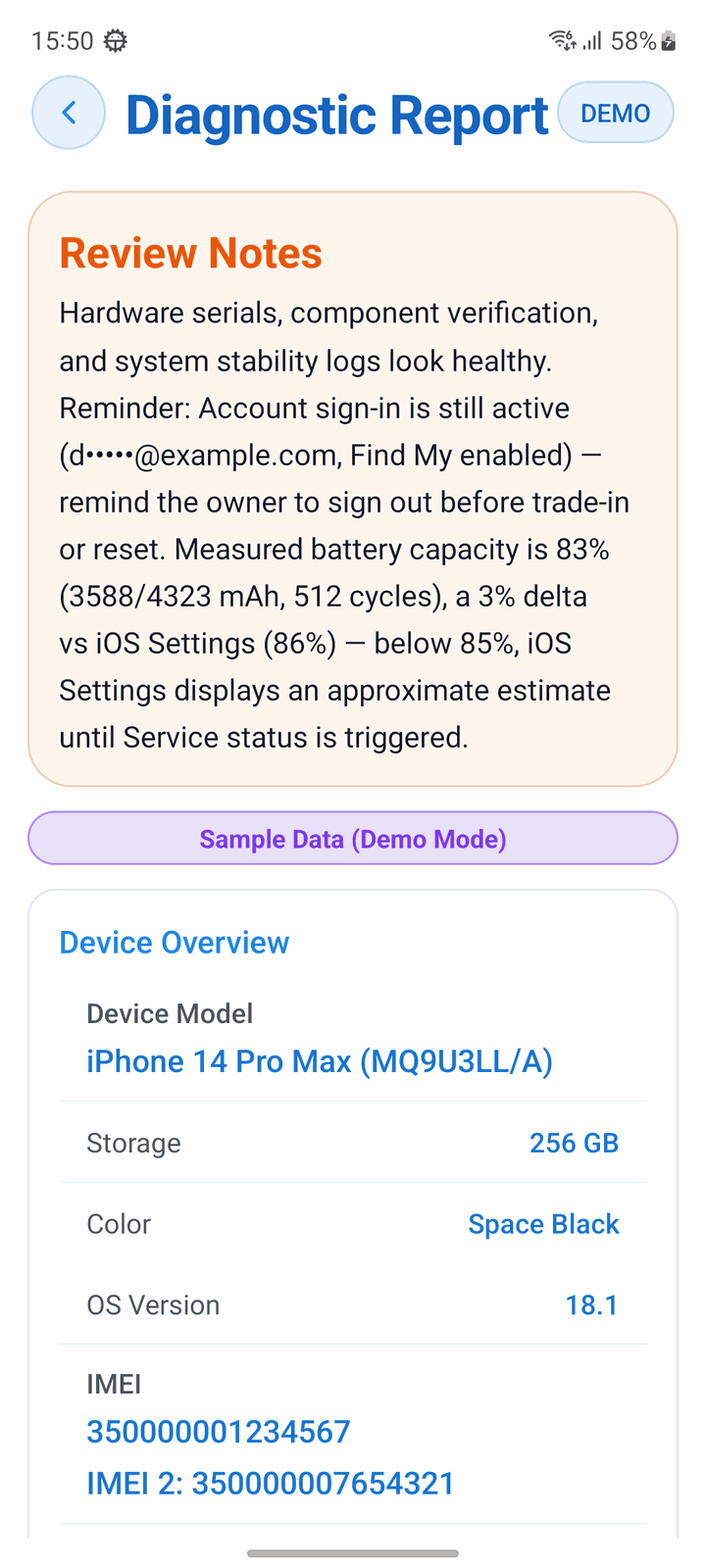
Read model number, region code, storage capacity, iOS version, UDID, IMEI, and serial number over USB.
Real Battery Wear
Inspect design capacity, actual raw mAh capacity, charge cycle count, and battery serial authenticity.
Component Verification
Compare factory-paired serials vs current serials for display, rear/front cameras, Touch ID / Face ID, and battery.
Crash & Panic Logs
Detect recurring kernel panics, thermal shutdowns, and board power resets before buying or accepting a trade-in.
Optional Cloud Checks
Query Activation Lock (Find My), MDM supervision, carrier lock, and blacklist status when requested.
Background USB Guard
Keeps the USB-C OTG pairing handshake alive while waiting for the customer to unlock and tap Trust.
A4 PDF Handover
Export standardized A4 PDF inspection sheets with shop branding, timestamp, and clear Pass/Warn/Fail badges.
Team History Sync
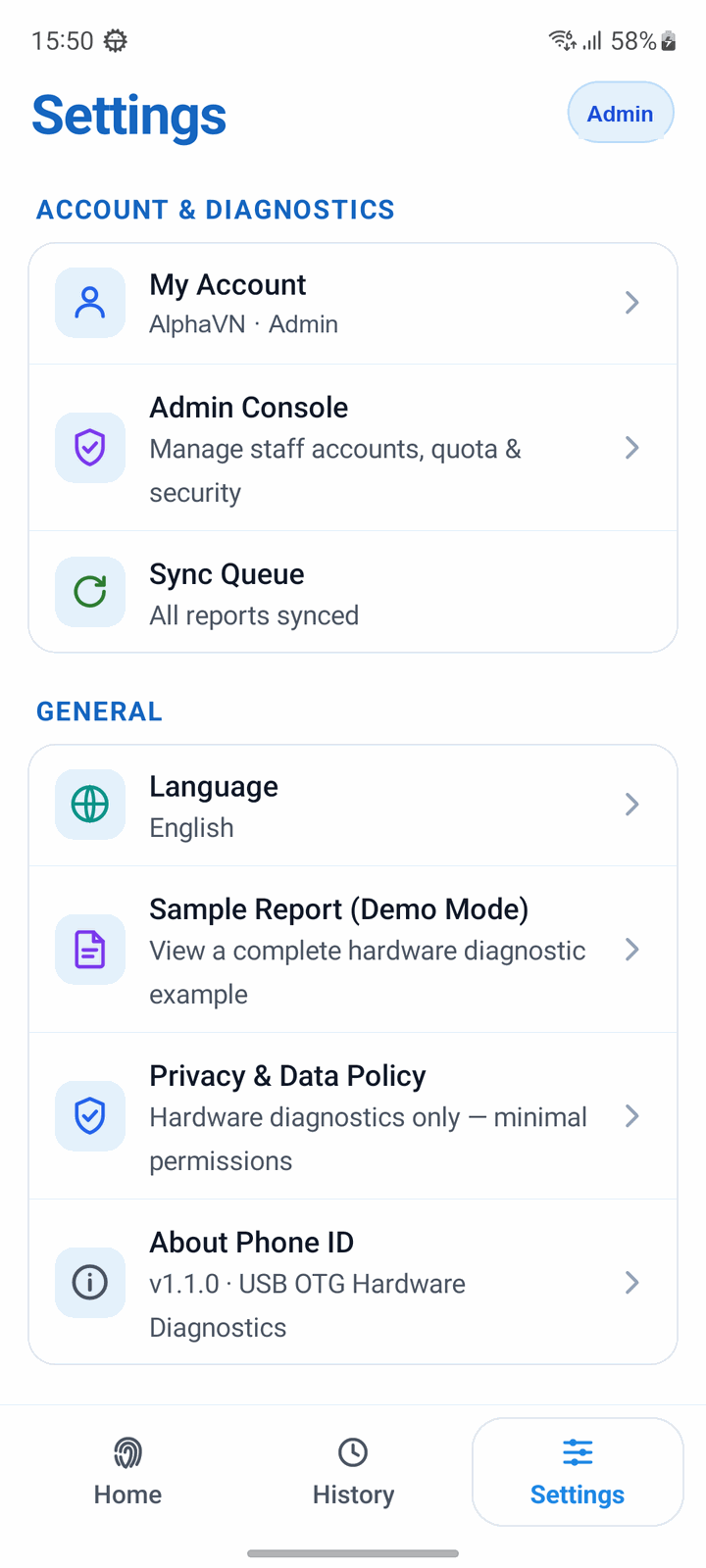
Optional synchronization with your shop's inspection portal so technicians never pay twice for the same IMEI check.
Read-Only Diagnostics & Customer Privacy
Phone ID only reads hardware diagnostic telemetry over the standard Apple USB lockdown protocol after explicit Trust This Computer authorization on the target device:
- No access to personal photos, messages, or contacts: Phone ID never reads user media, chats, passwords, or private files.
- Transparent consent: Diagnostic reading starts only when the technician connects the cable and the device owner taps Trust.
- Controlled data retention: Local diagnostic reports can be cleared from the app at any time.